
Help Brilion Help Brilion

  • Home
  • Magazine
  • Help Center
Home / Integrations / Integrating with a payment gateway

Integrating with a payment gateway

3 views Less than a minute 0
  • To integrate with a payment gateway, please navigate to Settings > Integration > Online payment.
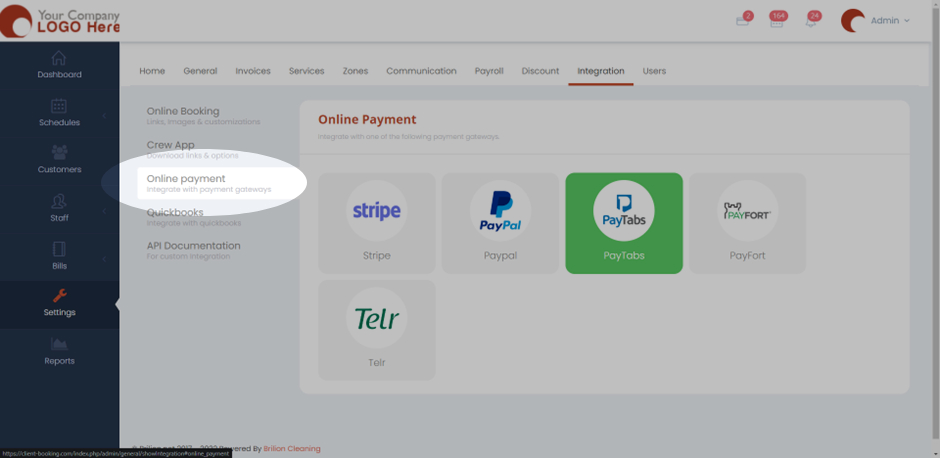
  • You will now be able to selected your preferred choice of payment gateway that you want to integrate with by clicking on them.
  • You will have to fill in the details which is your “Publish Key” and your “Secret Key”.
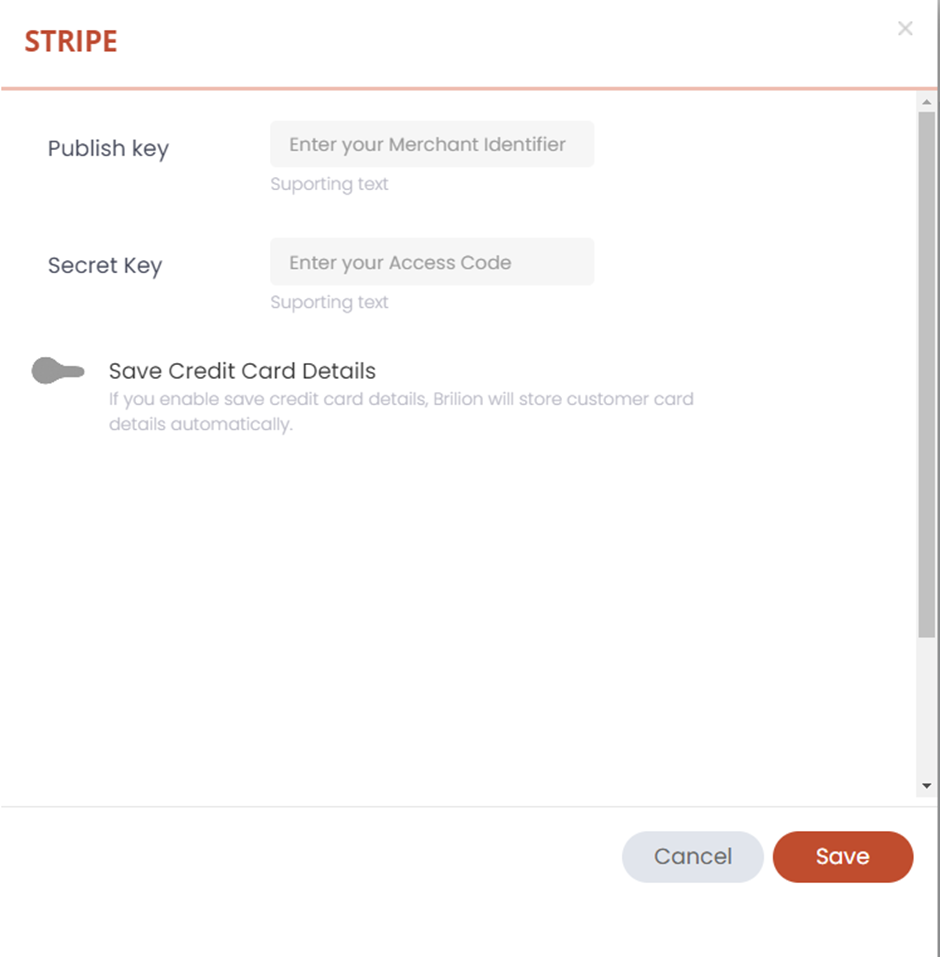
  • Now the payment gateway is integrated with your account and it will be highlighted in green notifying that it is active.
 
Integrations

About info

View all posts by info →

Related Articles

  • Whatsapp Integration
  • Enabling today and future days booking notifications for your crews
  • Creating Discount Codes for your customers
  • Sending the links of crew app to crew members

Categories

  • 14Communications
  • 8Crew App
  • 2Customer App
  • 25Getting started
  • 5Integrations
  • 9Invoices and Payments
  • 1Marketing
  • 13Online Booking
  • 29Scheduling

Most Viewed

  • Add multiple jobs for a single customer on the same day 9
  • Adding a note that appears on every job 7
  • Deleting or adjusting an invoice 6
  • Allocating Driver Zones 5
  • Adding a crew member and generating password for the crew app 4

Most Liked

© 2024 , Brilion Technologies | All Rights Reserved | Privacy Policy | Terms & Conditions